Today, I decided to set up myself a reference-environtment with the following technologies and how you have to configure this tools that they work properly together. The following list shows all technologies and their versions I've used to set up this environment:
Reference-Project Bookstore
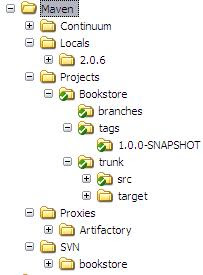
My plan is to develop an online bookstore just to show how maven works with a small web-app which consists of some submodules. In this first post I'd like to show only the build-configuration settings for this web-app. First I created a file structure where to store all my tools, projects and their settings. I created the following folders:
Continuum (my Build-Server)
Locals (my local maven-repository)
Projects (all my projects)
Proxies (all maven-proxies => e.g. Artifactory)
SVN (my Suversion-Repository)
The following picture shows the file-structure. I haven't collapse all folders because those are just some configuration-specific folders of the tools.
All folders marked green are ander Subversion source-control. After I created this structure I had to create a subversion-repository. You just have to invoke the command 'svnadmin create path/to/your/custom/folder' and then import your structure with 'svn import /path/to/repo/ -m "some message"'. Then you have to checkout the project for the first time with 'svn checkout /path/to/repo'.
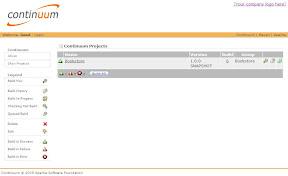
If everything works fine you can now set up you Continuum build-server to interact with your subversion-repo. This server will execute a specific maven commands (which you will be able to configure) to a certain time (cron job syntax) so you always will haven an overview of the checked in sources and if the application is clean.
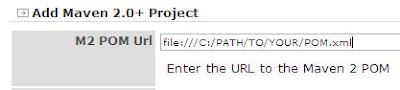
There is one custom configuration you have to do if you would like to use the file-protocoll when you would like to set the path to your project's pom-file. By default the file-protocoll is turned off but you can turn it on by setting the 'allowedScheme'file'allowedScheme' in the application.xml of continuum which you will find in the CONTINUUM_HOME\apps\continuum\conf folder.
After changing this property everything should work fine. Now you will be able to set up a maven-proxy which enables you to share your application and other artefacts with more developer.
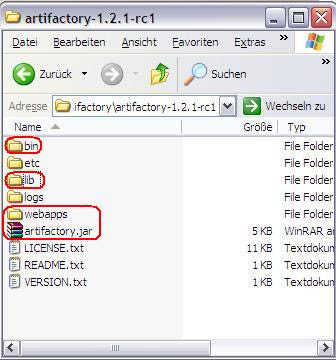
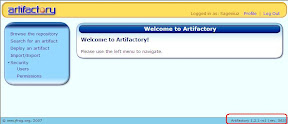
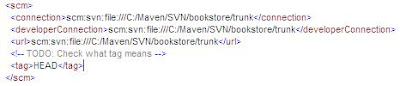
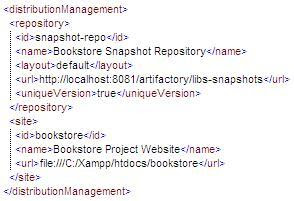
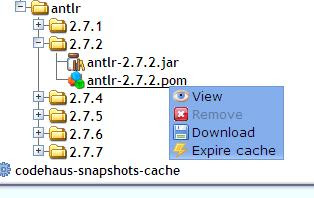
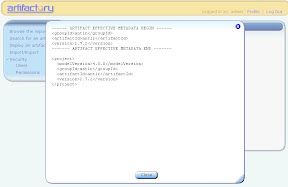
Artifactory is really easy to configure but I'm still a bit confused about some settings. I'm going to write about it in upcoming posts. There is only one thing, if you are behind a proxy you have to configure it in the artifactory.config.xml which you can find in the etc-folder of your Artifactory-installation. The following screenshots show some interesting maven-settings about the scm-Tag (Subversion) and the distributionManagement-Tag which configures the path to the snapshot-repository where you can deploy your snapshot-releases to the Artifactory repositories.
The last thing is to install a webserver where you can deploy your project-site. I have installed Xampp for this kind of purpose. You just have to confiugre your site-tag within your distributionManagement-Tag and then after invoking the mvn site:site site:deploy command your complete project-site will be generated and transfered to your configured path.
So now you have set up a good infrastructure to develop your application and can concentrate on your application logic. In upoming posts I will begin to design my bookstore-application and try to solve the remaining build-configuration-issues.
Of course you're welcome to descripe your best-practices with this kind of technologies and I also would like to mention the fact that this is not a complete description but should give you an idea on how to set up a possible way for a building-environment for a Java-based web-application.
Cheers