Please don't let mislead you because of this post's title. NetBeans doesn't have any special features for RMI support. I've only chosen this title because I'm going to develop my RMI-Service in NetBeans 6 Beta 2 which is my favourite IDE.
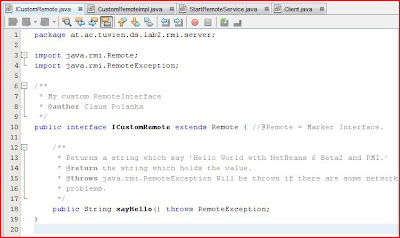
I won't explain every detail of RMI because you will find a lot of good tutorials on the web anyway. So, the first step is to open your IDE and develop the Interface for your RemoteService:
Second step: Write your service implementation class.
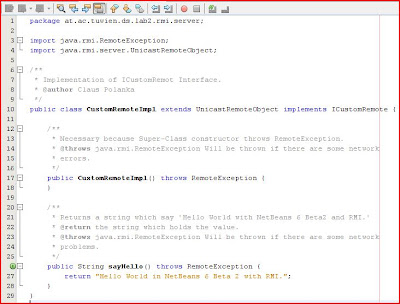
package at.ac.tuwien.ds.lab2.rmi.server;

import java.rmi.RemoteException;
import java.rmi.server.UnicastRemoteObject;

/**
 * Implementation of ICustomRemot Interface.
 * @author Claus Polanka
 */
public class CustomRemoteImpl extends UnicastRemoteObject implements ICustomRemote {

    /**
     * Necessary because Super-Class constructor throws RemoteException.
     * @throws java.rmi.RemoteException Will be thrown if there are some network
     * errors.
     */
    public CustomRemoteImpl() throws RemoteException {
    }

    /**
     * Returns a string which say 'Hello World with NetBeans 6 Beta2 and RMI.'
     * @return the string which holds the value.
     * @throws java.rmi.RemoteException Will be thrown if there are some network
     * problems.
     */
    public String sayHello() throws RemoteException {
        return "Hello World in NetBeans 6 Beta 2 with RMI.";
    }
}
Next step ist to implement a class who starts your remote service:
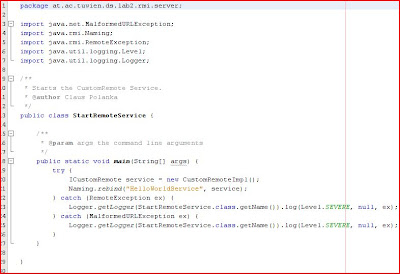
package at.ac.tuwien.ds.lab2.rmi.server;

import java.net.MalformedURLException;
import java.rmi.Naming;
import java.rmi.RemoteException;
import java.util.logging.Level;
import java.util.logging.Logger;

/**
 * Starts the CustomRemote Service.
 * @author Claus Polanka
 */
public class StartRemoteService {

    /**
     * @param args the command line arguments
     */
    public static void main(String[] args) {
        try {
            ICustomRemote service = new CustomRemoteImpl();
            Naming.rebind("HelloWorldService", service);
        } catch (RemoteException ex) {
            Logger.getLogger(StartRemoteService.class.getName())
                                             .log(Level.SEVERE, null, ex);
        } catch (MalformedURLException ex) {
            Logger.getLogger(StartRemoteService.class.getName())
                                             .log(Level.SEVERE, null, ex);
        }
    }

}
Now, after you have finished the serverside of your RMI application, it's time to develop the client who calls the service.
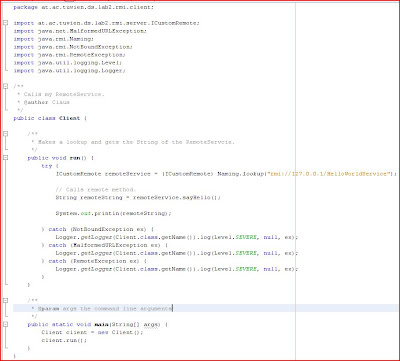
package at.ac.tuwien.ds.lab2.rmi.client;

import at.ac.tuwien.ds.lab2.rmi.server.ICustomRemote;
import java.net.MalformedURLException;
import java.rmi.Naming;
import java.rmi.NotBoundException;
import java.rmi.RemoteException;
import java.util.logging.Level;
import java.util.logging.Logger;

/**
 * Calls my RemoteService.
 * @author Claus Polanka
 */
public class Client {

    /**
     * Makes a lookup and gets the String of the RemoteServcie.
     */
    public void run() {
        try {
            ICustomRemote remoteService = (ICustomRemote)
                      Naming.lookup("rmi://127.0.0.1/HelloWorldService");

            // Calls remote method.
            String remoteString = remoteService.sayHello();

            System.out.println(remoteString);

        } catch (NotBoundException ex) {
            Logger.getLogger(Client.class.getName()).log(Level.SEVERE, null, ex);
        } catch (MalformedURLException ex) {
            Logger.getLogger(Client.class.getName()).log(Level.SEVERE, null, ex);
        } catch (RemoteException ex) {
            Logger.getLogger(Client.class.getName()).log(Level.SEVERE, null, ex);
        }
    }

    /**
     * @param args the command line arguments
     */
    public static void main(String[] args) {
        Client client = new Client();
        client.run();
    }
}
Now, compile everything and you should see something like the following output:
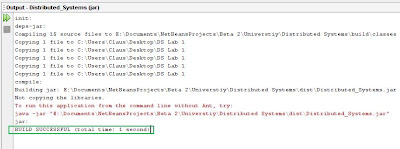
So, if you have the same environment as I have (only one machine ;-) you don't have to copy anything to another location. Just generate the Service Stub-Class, start the rmiregistry and start your service. Then your client should be able to execute the Service and print out it's result which is in my case a simple string.
Generate Stub-Class: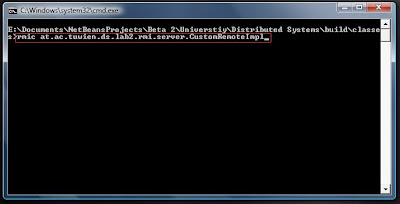
Now, you should be able to see a new generated class in corresponding package where you have generated the Stub.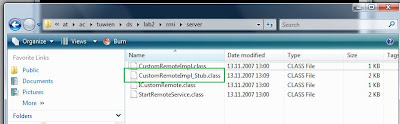
Start the RMI-Registry to register the Service. 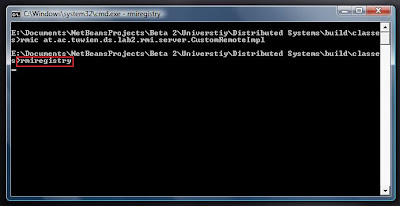
Start your service and bind it to your registry.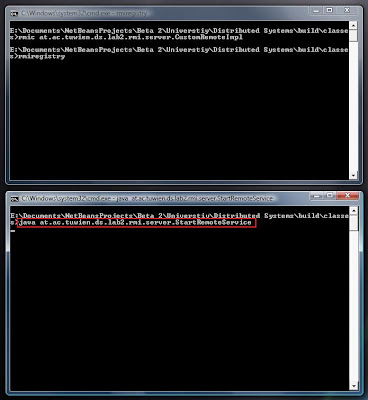
Let's run the Client. 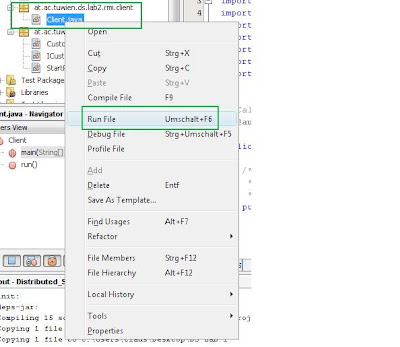
And see the result.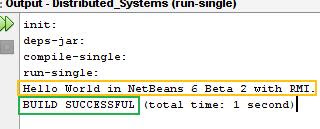
Hope you liked it.
Cheers

