Showing posts with label Continuum. Show all posts

Friday, September 28, 2007

IBM Rational Clear Case vs. Continuum Build Server

and how to install a Business Module on a Build-Server. I haven't blogged for a long time now because I was/am very busy at work and also university starts next week and I had/still have to do some prep-work for it.
In this post I'd like to write a tutorial about how to install a Business Module on the Continuum Build-Server. This so-called Business Module is a company-specific multi-module Maven-project which stands under version-controll of IBM's Rational Clear Case.
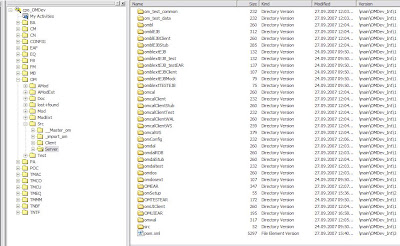
In the following screenshot you're able to see the directory-structure of the Business Module in an Editor-View of Clear Case on my local workstation. This view shows a so-called Dynamic View of the Business Module.
From Misc


My upcoming task is to create a View of the Business Module's Integration Stream on another workstation within the company's intranet. Why do I have to do this?

The Continuum Build-Server only handles Maven-Projects on the same machine as the server is installed. God thanks on this server there is also a version of IBM Rational Clear Case installed so it won't be a problem to get the Business-Module deployed on Continuum.

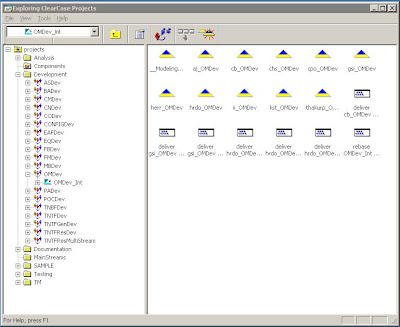
So, the first thing to do is to start a Remote-Desktop-Control and connect to the server where everything is installed. The next step is to open the Project Explorer which is a sub-application of Clear Case. You will be able to see this explorer in the next screenshot.
From Misc


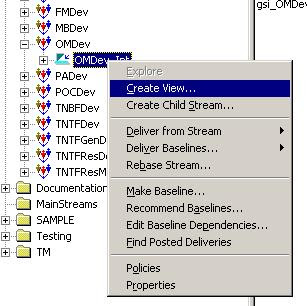
You now have to select the Business Module's Integration Stream of which you want to create a View. In my case I have to select the OMDev_Int. Right click the Integration Stream and choose 'Create View...'
From Misc


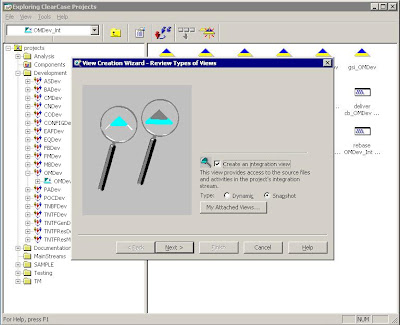
A new window will pop-up. In this window you can leave all the selected options and click Next.
From Misc


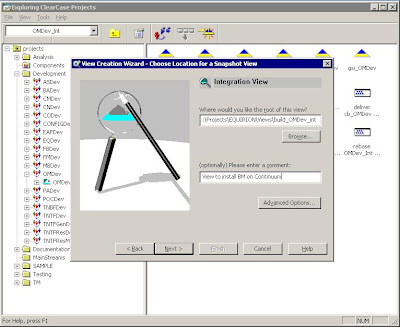
Now choose the directory where you would like to copy all the Business Module's files and optionally enter a corresponding comment and then click next.
From Misc


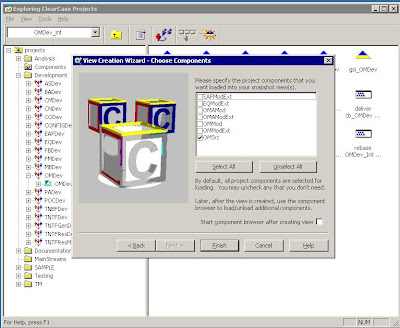
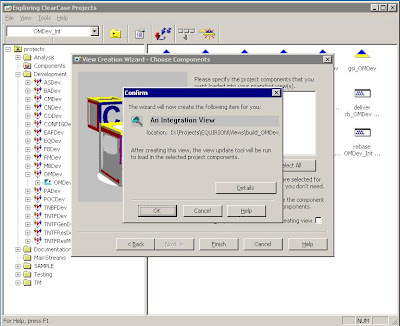
In the wizzard's next screen you are able to choose the components which you would like to copy to your workstation. In my case I only need the OMSrc component. Click next. A confirmation screen appears and again click next.
From Misc


Now all the sources will be copied to the path which you have entered a couple of screens before.
From Misc


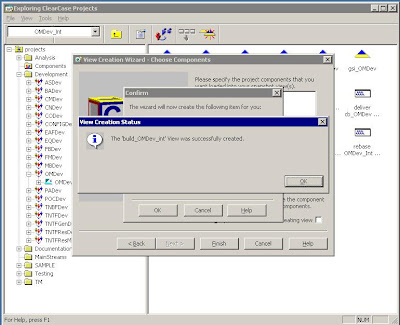
If everything worked out fine you should see a 'View successfully created'-screen as the following.
From Misc

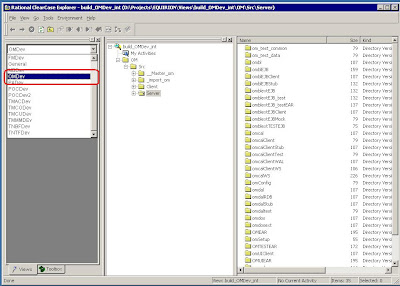
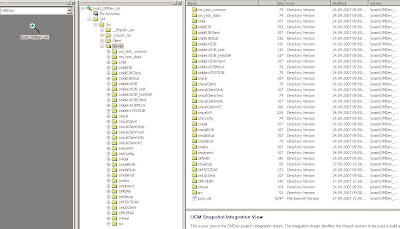
Now open your Clear Case Explorer and press Alt+F5. This shortcut will refresh your Clear Case View Shortcuts and then you'll be able to see the new Business Module with all your chose components.
From Misc

New Business Module wiht Src-component.
From Misc

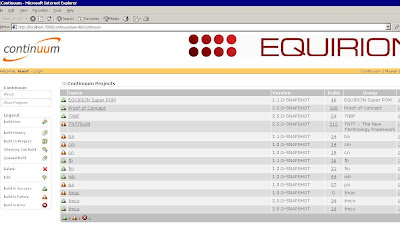
The next step is to install the Business Module on Continuum Build-Server. So, open your Web Browser and start your Continuum installation.
From Misc

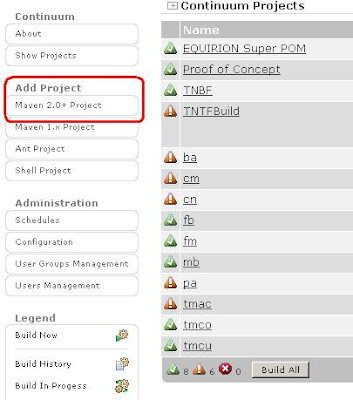
Login and press the 'Maven 2.0+Project' button under the category 'Add Project'.
From Misc

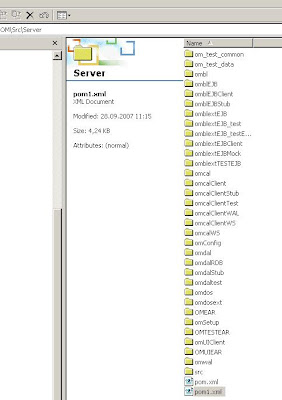
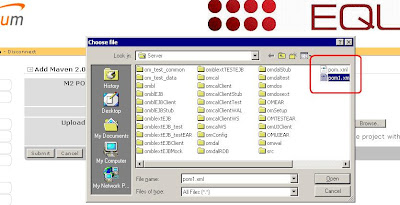
Now here comes the tricky-part. Continuum will have problems with your pom.xml file because it stands under version-control and hence it is read-only. Here comes the workaround: You have to create a new pom-file and call it something like 'pom1.xml'.
From Misc

Now you will have to copy the whole content of the original pom and paste it to the newly created one. Continuum has problems with mulit-module projects so if you want to browse for the file you have to delete all the modules, assumed you have configured one in the pom-file, and then Continuum won't have any troubles anymore.
From Misc

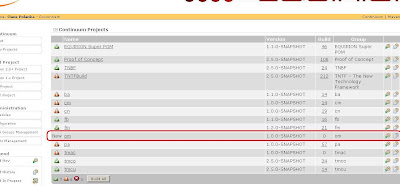
After pressing the Submit-button you should see something like the following screen:
From Misc

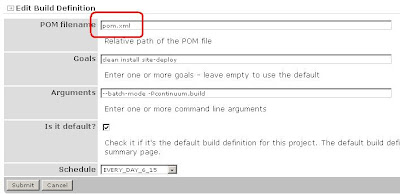
Now you can confiugre your build-settings for the new Business-Module. If you also have a multi-module project you will ask yourself how it will work that all the modules which you have deleted previously in your pom1.xml will now also build in Continuum. The answer is: If you configure your Build Definition you will be able to configure the old pom.xml by passing the path to it. You can see my settings in the following screen:
From Misc

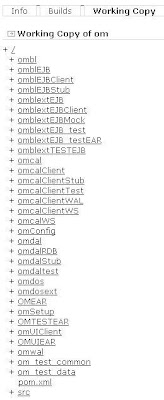
So now, if you invoke the build with these settings all the sub-modules will also be build. Tricky ha, but very effective ;o) You don't believe me? Swich to your 'Working Copy'-view of your project and then you will see all modules which are configured in your original pom.xml file.
From Misc

And, what's your result? Are you also able to see something like the follwing:

From Misc

Happy Mavin'-Continuumin'-CCin'

Cheers

Friday, April 27, 2007

Continuum vs. Derby and how to...

... stop an invoked build on the build-server (Continuum) which seems to run in an endless loop. Yesterday, it was the first time we had a problem with one of our projects on the build-server. After a three hour build one of our core-developer came over to my place and told me to stop the project on Continuum because some of our India-colleagues checked in some bad code which caused an endless loop on the database-side of the application.

So how am I able to stop a running project on Continuum? After a ten minutes search on the web-interface of the build-server my second thought was to restart Continuum but despite of the restart the project still kept building so Continuum some how remebers the state of the project's build. *confused* The next thing I did was to find some threads on Nabble.com of developers who maybe already had the same problem as we had and finally I did.

So, after I have finished reading those threads it was clear that I had to handle this problem by manipulating Continuum's database (Derby). So how am I able to do this when the build-server is on a different machine and I'm not allowed to install any oder software on this machine.

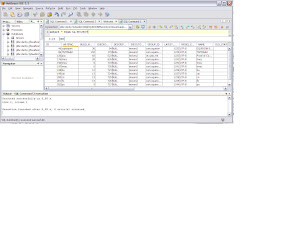
I rememberd the fact that NetBeans had it's cool integrated database-ui, by the way this IDE has also integrated support for Derby-databases, so I tried to connect to my Continuum-database by using NetBeans. First I had to stop Continuum or NetBeans would not allow me to connect to the database. After I had stopped the build-server it finally was possible to connect to the Derby-database over NetBeans. So it was possible to connect with the following connection-string: jdbc:derby :\\server\D$\path\to\derby


But then I had the problem that I didn't know which schema I should use to connect to so I tried out every of it. Another problem was that I couldn't see the tables of the database schema so I had to guess the name of the table. In one of the threads there was a sample select-statement but this was only to change the role of an user.

From Maven

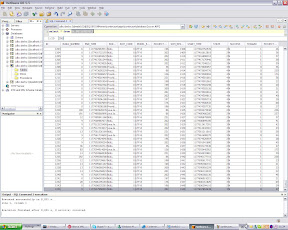
So after a while of studiing those threads I found a log-file and saw that Continuum creates all tables on start up and in this log-output I found some tables and one of it was the PROJECT-table and after a 'select * from SA.PROJECT' I saw all installed projects. A second table was the BUILDRESULT-table. The last entry in this table was the project which caused the problem. So I decided to delete this entry.

From Maven

After restarting Continuum the project wasn't building anymore and then I invoked a 'Build All' and today everything was fine. There is one thing I'd like to mention, in one of a thread that I didn't post was a suggestions to invoke a 'Build All' as solution to stop a project but an answer to this post was that this doesn't work so I'm not sure if my decision to delete the entry from the table was the right solution or the that I invoked the 'Build All'-command over the web-interface of Continuum.

But everything works fine now and maybe this may help you or will give you some ideas if you also run in such kind of problems with the Continuum build-server.

Cheers

Wednesday, April 25, 2007

Maven & Co

Today, I decided to set up myself a reference-environtment with the following technologies and how you have to configure this tools that they work properly together. The following list shows all technologies and their versions I've used to set up this environment:

Reference-Project Bookstore

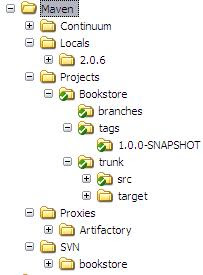
My plan is to develop an online bookstore just to show how maven works with a small web-app which consists of some submodules. In this first post I'd like to show only the build-configuration settings for this web-app. First I created a file structure where to store all my tools, projects and their settings. I created the following folders:

  • Continuum (my Build-Server)
  • Locals (my local maven-repository)
  • Projects (all my projects)
  • Proxies (all maven-proxies => e.g. Artifactory)
  • SVN (my Suversion-Repository)

The following picture shows the file-structure. I haven't collapse all folders because those are just some configuration-specific folders of the tools.

From Maven

All folders marked green are ander Subversion source-control. After I created this structure I had to create a subversion-repository. You just have to invoke the command 'svnadmin create path/to/your/custom/folder' and then import your structure with 'svn import /path/to/repo/ -m "some message"'. Then you have to checkout the project for the first time with 'svn checkout /path/to/repo'.


If everything works fine you can now set up you Continuum build-server to interact with your subversion-repo. This server will execute a specific maven commands (which you will be able to configure) to a certain time (cron job syntax) so you always will haven an overview of the checked in sources and if the application is clean.


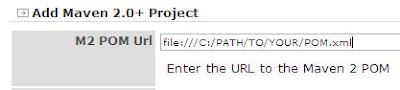
There is one custom configuration you have to do if you would like to use the file-protocoll when you would like to set the path to your project's pom-file. By default the file-protocoll is turned off but you can turn it on by setting the 'allowedScheme'file'allowedScheme' in the application.xml of continuum which you will find in the CONTINUUM_HOME\apps\continuum\conf folder.

From Maven


After changing this property everything should work fine. Now you will be able to set up a maven-proxy which enables you to share your application and other artefacts with more developer.

From Maven

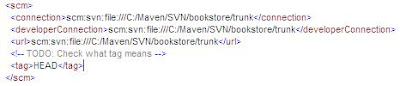
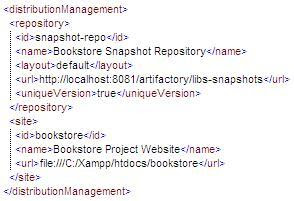
Artifactory is really easy to configure but I'm still a bit confused about some settings. I'm going to write about it in upcoming posts. There is only one thing, if you are behind a proxy you have to configure it in the artifactory.config.xml which you can find in the etc-folder of your Artifactory-installation. The following screenshots show some interesting maven-settings about the scm-Tag (Subversion) and the distributionManagement-Tag which configures the path to the snapshot-repository where you can deploy your snapshot-releases to the Artifactory repositories.


From Maven


From Maven

The last thing is to install a webserver where you can deploy your project-site. I have installed Xampp for this kind of purpose. You just have to confiugre your site-tag within your distributionManagement-Tag and then after invoking the mvn site:site site:deploy command your complete project-site will be generated and transfered to your configured path.

So now you have set up a good infrastructure to develop your application and can concentrate on your application logic. In upoming posts I will begin to design my bookstore-application and try to solve the remaining build-configuration-issues
.

Of course you're welcome to descripe your best-practices with this kind of technologies and I also would like to mention the fact that this is not a complete description but should give you an idea on how to set up a possible way for a building-environment for a Java-based web-application.

Cheers